
To generate a statement of claim, you must first enter one or more claim entries on the "Claims & Payments" tab.

This is done using the "Primary Claim", "Collateral Claim", "Interest Claim", and "Payment" buttons.

Entries are displayed chronologically in a clear list view. On desktop, direct action buttons are available on the right for each entry; on smaller screens, you will find the same functions in the actions menu.
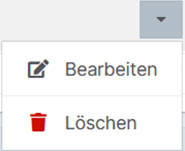
Use the button to change or add to the entered data at any time. Use the button to create a copy of the selected entry so you can add similar items more quickly. Use the button to remove the selected entry. If you want to delete all data, click the "New Calculation" button.
Finally, you can assign an account name to your statement of claim. This name will later appear on the PDF printout.

Once you have finished entering the entries, you can switch to the "Balance Report" view by selecting the "Balance Report" tab.
The system will then generate the corresponding statement of claim from the booking data you entered. You can change the calculation date using the "Calculate" button and the associated date input field.

If you want to change some entries, you can return to the booking view by clicking the "Edit Claims & Payments" button or by selecting the corresponding tab.

You can convert the completed statement of claim into a PDF file and print it using the "Print Balance Report" button on the "Balance Report" tab.

With Premium, you can download your statement of claim not only as a PDF file, but also as a ZIP archive. If you want to continue working on the statement of claim later, simply upload it again and continue editing it in the DEBICARE calculator.
Click the "Import/Export" tab and then "Download Claims" to download a ZIP archive.

To continue editing the statement of claim in DEBICARE, simply upload it again using "Load Claims" in the same tab.

A Primary Claim is the main part of a claim against a debtor. For example, if you are asserting a claim arising from a sales or service contract, that claim is a primary claim.
Any legal fees incurred (RVG fees) and court costs are cost claims, while other information, returned debit, reminder, and debt collection costs are Collateral Claims related to your Primary Claim.
Interest arrears or default interest from another claim, or from a claim that is not being asserted together with this statement of claim, can be entered as separate Interest Claims.
Unless otherwise agreed between creditor and debtor, § 367 BGB applies when settling claims by offsetting Payments. Under this rule, a payment is applied first to costs, then to interest, and finally to the principal claim. In exceptional cases, a different clearing method may have been agreed, so that a Payment is applied, for example, first to costs, then to interest, and then to the principal claim (see §§ 491 ff. BGB).
Two methods are available for calculating interest days: calculation by calendar days, where the actual number of elapsed calendar days is used for the interest calculation, and calculation by bank days, where each month is calculated with a maximum of 30 days, resulting in a year of exactly 360 days for the interest calculation.



 Powered by LECARE